Freelancer Focus
The Feedback Loop: How to Use Every Project to Build a Stronger Profile
Written by: Flexing It
16/06/2026
4 minutes read
![eye]() 133
133
![share]() 0shares
0shares

What do future clients see when they look at your profile on Flexing It?
While scanning your profile, clients want reassurance that you have solved similar problems before, delivered measurable outcomes and earned trust along the way.
According to Nielsen, 88% of people globally trust recommendations from people they know more than any other form of messaging.
For junior and mid-level consultants in particular, a strong testimonial can often open more doors, and feedback acts as a stamp of credibility to our 3000+ clients.
Here are practical ways to capture and structure client feedback effectively.
1. Capture Proof During the Project
The best time to think about social proof is during the work itself.
As the project progresses, keep a project log with:
- The client challenge
- Your role
- Actions taken
- Key milestones
- Outcomes achieved
- Positive feedback received
A few notes after each milestone are enough.
They can later be turned into strong case studies, and Flexing It can help you develop sanitised versions that highlight your impact and skills.
2. Asking for Feedback Effectively
Many hesitate to ask for feedback because it can feel uncomfortable or self-promotional. However, feedback is professional documentation that helps future clients understand the value and impact of your work.
You can guide the structure by asking clients to mention:
- The original challenge
- Your contribution
- The outcome or improvement
- What it was like working with you
One of the most powerful profile-building tools on Flexing It: The ‘Request Feedback’ feature
Starting on a new platform does not mean starting from scratch. Flexing It lets consultants showcase verified feedback from previous employers and freelance clients from the very beginning.
Here is how you can request feedback from your dashboard
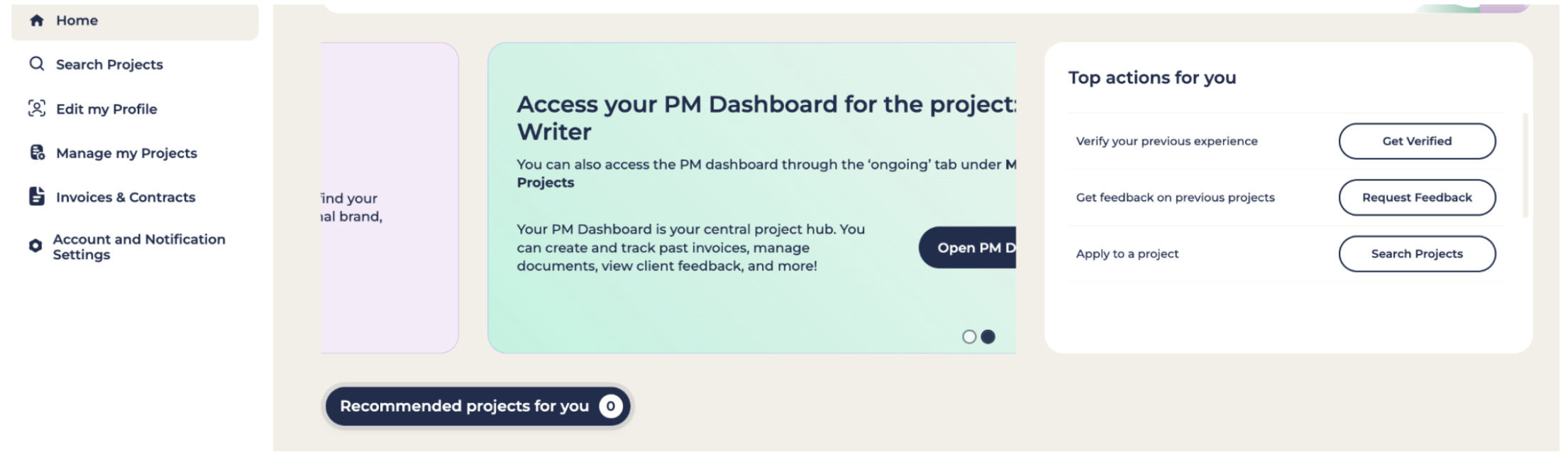
Step 1: Log on to your account
From your dashboard, click Request Feedback (on your right)
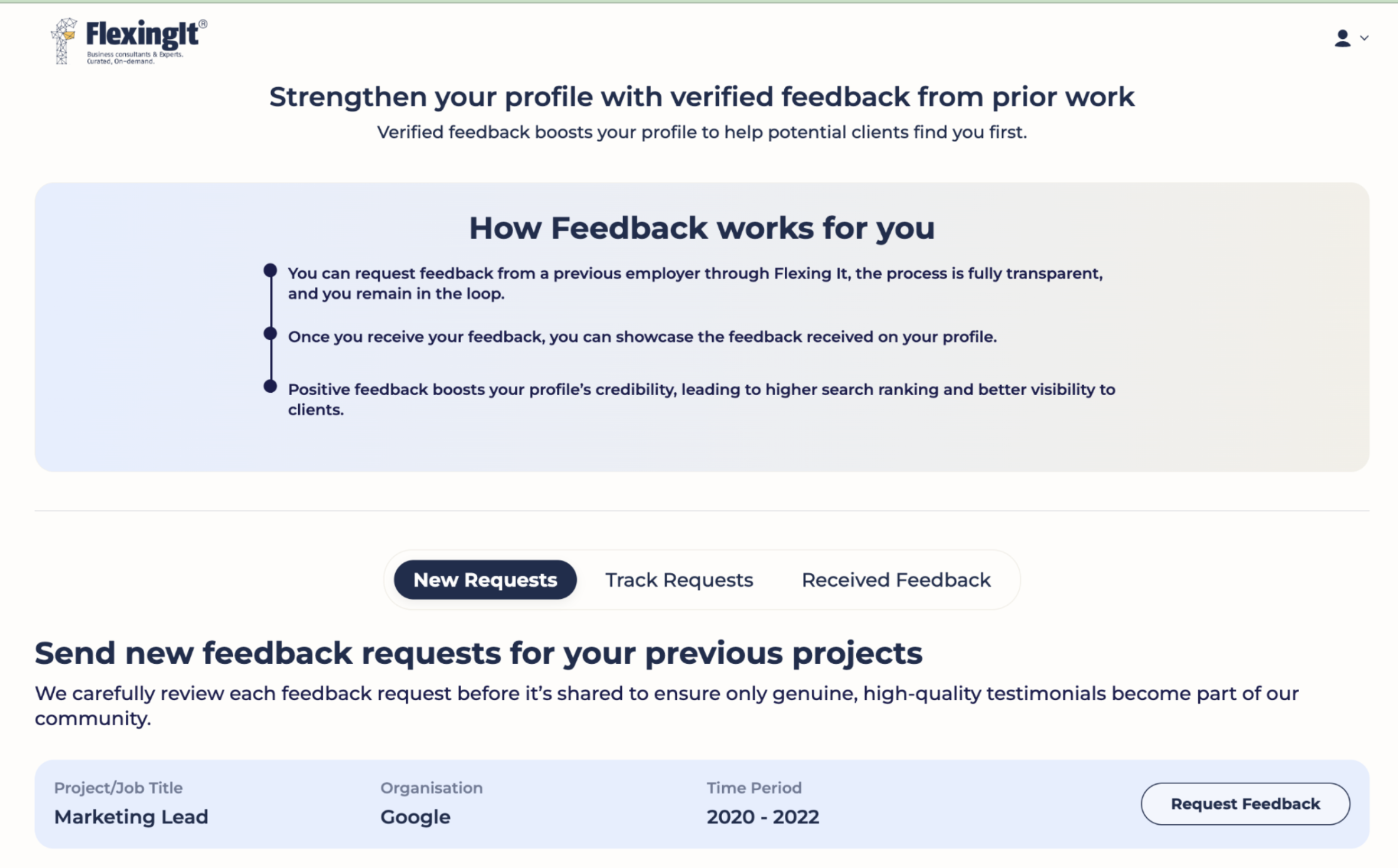
Step 2: Choose the past employers and freelance clients you have worked with outside of the Flexing It platform. Then press Request Feedback.
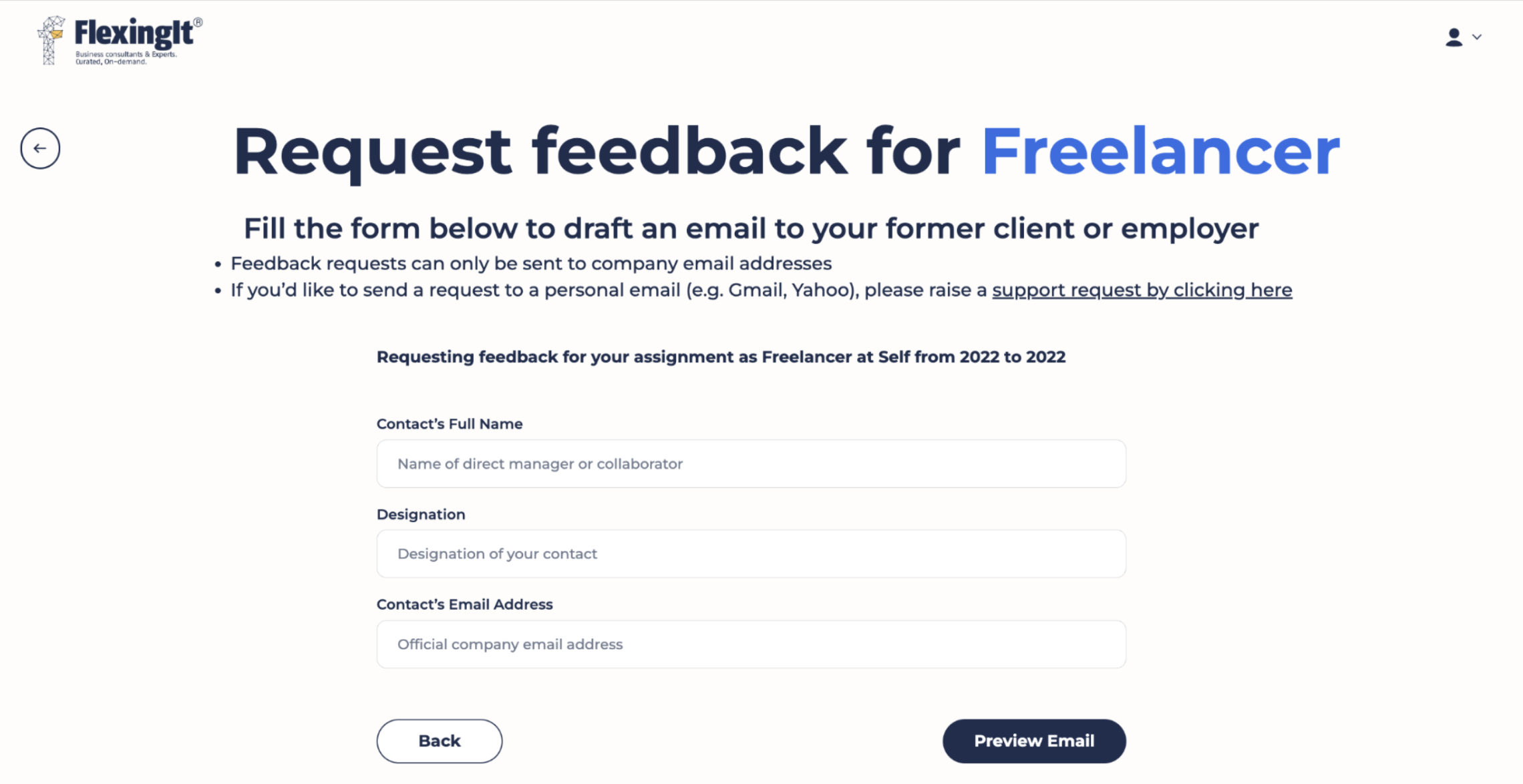
Step 3: Add the details of the client or manager who can verify your work. Our platform reaches out to them directly via email to request feedback.
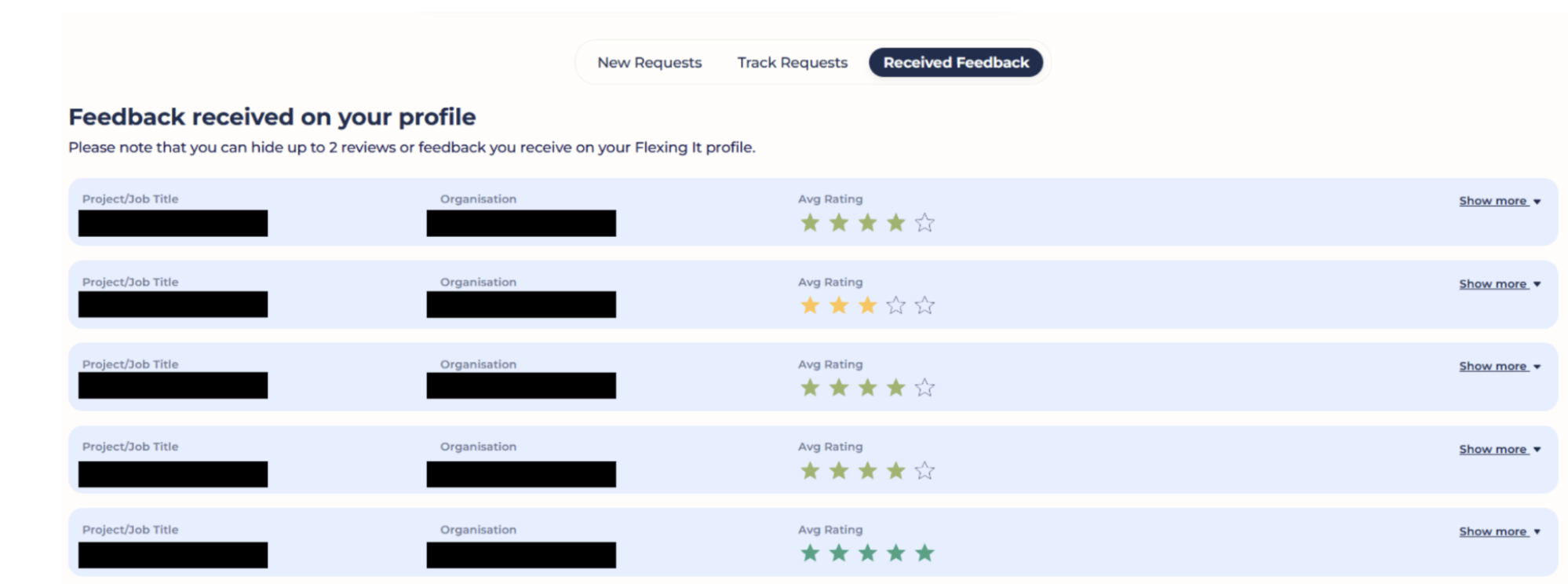
Step 4: Once they share their feedback, it gets added to your profile
This is how the feedback appears on your profile.
Requesting project feedback completed through Flexing It
For projects completed through Flexing It, client feedback requests are automatically triggered at the end of each engagement, making it easier to consistently collect testimonials and build a stronger professional track record visible to all our clients.
The long game: Credibility through accumulation
Strong consulting profiles are rarely built on a single breakthrough project. It takes time and is built gradually - one project, one result, one testimonial, one referral at a time.
And they can become multiple credibility assets, such as a recommendation, a case study, a talking point in networking conversations, and, more importantly, a stronger consulting profile!


 `
`  133
133
 0shares